
52 lines
1.5 KiB
Markdown
52 lines
1.5 KiB
Markdown
# gh - The GitHub CLI tool
|
|
|
|
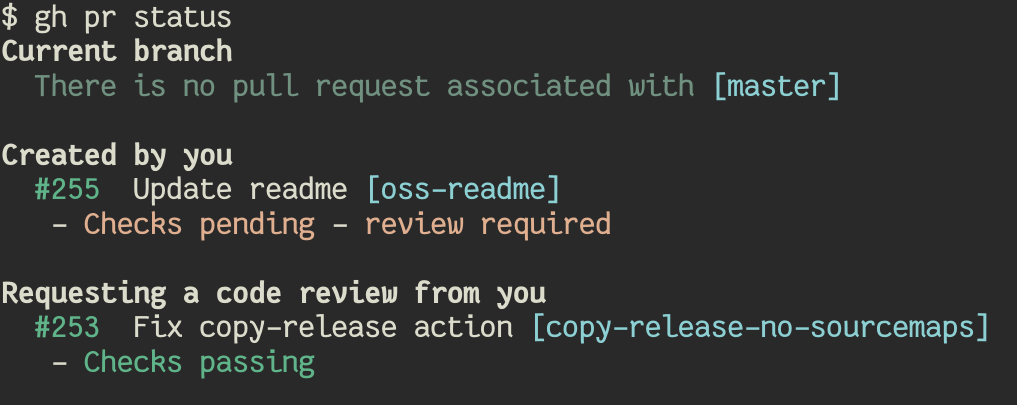
`gh` is GitHub on the command line. It brings pull requests, issues, and other GitHub concepts to
|
|
the terminal next to where you are already working with `git` and your code.
|
|
|
|
|
|
|
|
## Usage
|
|
|
|
- `gh pr [status, list, view, checkout, create]`
|
|
- `gh issue [status, list, view, create]`
|
|
- `gh help`
|
|
|
|
Check out the [docs][] for more information.
|
|
|
|
|
|
## Comparison with hub
|
|
|
|
For many years, [hub][] was the unofficial GitHub CLI tool. `gh` is a new project for us to explore
|
|
what an official GitHub CLI tool can look like with a fundamentally different design. While both
|
|
tools bring GitHub to the terminal, `hub` behaves as a proxy to `git` and `gh` is a standalone
|
|
tool.
|
|
|
|
|
|
## Installation
|
|
|
|
### macOS
|
|
|
|
`brew install github/gh/gh`
|
|
|
|
### Windows
|
|
|
|
MSI installers are available on the [releases page][].
|
|
|
|
### Debian/Ubuntu Linux
|
|
|
|
1. Download the `.deb` file from the [releases page][]
|
|
2. `sudo apt install git && sudo dpkg -i gh_*_linux_amd64.deb` install the downloaded file
|
|
|
|
### Fedora/Centos Linux
|
|
|
|
1. Download the `.rpm` file from the [releases page][]
|
|
2. `sudo yum localinstall gh_*_linux_amd64.rpm` install the downloaded file
|
|
|
|
### Other platforms
|
|
|
|
There are prebuilt binaries available on the [releases page][].
|
|
|
|
|
|
[docs]: https://cli.github.io/cli/gh <!-- TODO eventually we'll have https://cli.github.com/manual -->
|
|
[releases page]: https://github.com/cli/cli/releases/latest
|
|
[hub]: https://github.com/github/hub
|